How to Evaluate QMS Software: Why a Dashboard Demo Isn't Enough
A polished dashboard doesn't prove a QMS can support real operations. Learn how to evaluate connected workflows, usability, traceability, security, and implementation before choosing quality management software.
Published November 9, 2026By METIS QMS11 min read
A quality management software demonstration can look impressive in the first five minutes.
The dashboard is clean. Documents are organized into folders. Corrective actions have assigned owners. Training records display completion percentages. Every module has charts, filters, and neatly arranged buttons.
But none of that answers the most important question:
Will this system actually make quality management easier, more reliable, and more effective for your organization?
For companies considering their first electronic quality management system or replacing an existing one, the challenge isn't simply identifying software with enough features. It's determining whether those features work together, whether employees can use them effectively, and whether the system can support the organization's real quality processes.
A polished interface is a good starting point. It isn't proof of a capable quality management system.
Before making a software investment, organizations should look beyond the dashboard and evaluate what happens when real quality work begins.
Many quality management software providers organize their products around familiar modules: Document Control, Training, Nonconformance Management, Corrective Actions, Change Control, Risk Management, and Audit Management.
Those capabilities are important. However, the number of modules available doesn't necessarily indicate how well the system will support daily operations.
Consider a manufacturer that discovers a recurring product labeling error during final inspection.
The issue may initially appear straightforward. Someone identifies the nonconformance, records the affected product, and assigns responsibility for investigating the problem.
But what happens next?
The investigation determines that an outdated work instruction is still being used in production. Corrective action is necessary, the applicable procedure needs revision, and employees may require additional training.
A useful quality system should make it possible to maintain the relationships between these activities.
The original quality event should provide context for the investigation. The corrective action should document what needs to change and who is responsible. Any required document revision should follow an appropriate review and approval process. Relevant training requirements should be evaluated, and the organization should be able to determine whether its actions were effective.
Not every problem requires all these activities. Some issues can be appropriately addressed through immediate correction and documented disposition. Others require more extensive investigation and systemic action.
The software should support that distinction rather than force every issue through an unnecessarily complicated process.
During a demonstration, ask the vendor to show how one quality issue progresses through the activities your organization actually performs.
A connected workflow tells you far more about the product than nine separate module overviews.
2. Document Control Is More Than Storing the Latest Revision
Document Control is often one of the first capabilities organizations evaluate.
Most software can store a procedure, assign a document number, and display a revision history.
The more meaningful questions involve how documents are controlled throughout their lifecycle.
Imagine that a production procedure requires an update following an equipment modification.
How does the system distinguish a draft revision from the currently effective version? Who can review and approve the change? How are employees prevented from mistakenly using a superseded document?
And what happens after the revision becomes effective?
An organization may need to evaluate whether employees require retraining, whether related documents must be updated, or whether additional implementation activities are necessary.
These decisions require more than uploading a new PDF.
When evaluating Document Control, ask the vendor to demonstrate the entire revision process, including authoring, review, approval, release, and access to historical records.
Then ask how the system supports related training requirements.
The objective isn't necessarily to automate every decision. Quality personnel must still determine which activities are appropriate based on the nature and impact of the change.
The objective is to reduce the administrative effort involved in implementing those decisions and maintaining the supporting records.
A controlled document shouldn't become disconnected from the processes and people affected by its release.
3. An Audit Trail Should Tell a Meaningful Story
Most quality management platforms advertise audit trails.
That's expected. But an audit trail is only useful when it captures the activities necessary to understand a record's history.
Consider a corrective action that was originally assigned to one employee but subsequently reassigned after a due date was missed.
Can an authorized reviewer determine who changed the assignment and when? Does the record maintain its original information? Can the organization understand the sequence of reviews, decisions, and approvals?
These are practical questions, not merely technical ones.
A quality system should help distinguish between the current state of a record and the events that produced that state.
During a demonstration, ask the vendor to create or update a test record and then show its history.
Evaluate whether the information is understandable without requiring extensive technical knowledge.
Also examine access controls.
Can employees see records relevant to their responsibilities without receiving unnecessary permissions? Can the organization distinguish people who create records from those authorized to review or approve them? Are permissions appropriate to the organization's established processes?
For organizations operating under additional regulatory or customer requirements, audit-trail expectations, electronic signatures, retention periods, and validation obligations may be more extensive.
Those requirements should be identified and evaluated individually.
A vendor's statement that a system is compliant should never replace an assessment of the actual functionality, configuration, intended use, and applicable obligations.
4. Evaluate the Experience of the Person Doing the Work
Quality professionals frequently lead software evaluations because they understand the requirements and must maintain the system.
However, they aren't always the people completing most of the daily activities.
Operators may be reporting nonconformances. Supervisors may be assigning training. Department managers may be reviewing changes. Purchasing personnel may be maintaining supplier information.
These employees often interact with the QMS while managing responsibilities outside the Quality department.
If an activity requires excessive navigation, repeated information entry, or unnecessarily complicated forms, employees may begin avoiding the system.
That creates a serious problem.
An electronic QMS can only provide useful visibility when the underlying information is entered consistently and at the appropriate time.
During the demonstration, consider asking someone outside Quality to perform a simple activity.
Have them locate a current procedure, acknowledge a training assignment, submit a quality event, or review an assigned task.
Observe how much instruction they need.
Can they understand what information is required? Is the next step obvious? Can they identify their outstanding responsibilities?
These interactions reveal whether the system supports operational adoption or simply transfers administrative work from one interface to another.
The best software isn't necessarily the system with the most functionality. It's the system that provides the necessary functionality without making routine work unnecessarily difficult.
5. Ask About Implementation Before You Ask About Advanced Features
Software demonstrations naturally emphasize what a platform can do once it has been configured.
Organizations also need to understand what it takes to reach that point.
Consider a company currently managing documents in SharePoint, training assignments in Excel, supplier information in a shared directory, and corrective actions through email.
Migrating to an electronic QMS involves more than transferring files.
Existing records may need to be classified, reviewed, mapped to new structures, or retained in their historical format. Document numbering and revision information may need to be preserved. Responsibilities and approval authorities must be established.
The organization also needs to determine which processes should be implemented first.
Attempting to move every activity into a new system simultaneously may introduce avoidable disruption, particularly when employees are unfamiliar with the platform.
A phased implementation may be more appropriate.
For example, a company might begin with Document Control and Training Management, establish those workflows, and then introduce Quality Events and Corrective Actions.
The appropriate sequence depends on the organization's risks, current processes, available resources, and operational priorities.
Ask prospective vendors to explain their implementation approach.
Who configures workflows? Who prepares and verifies migrated information? What training is provided? How are issues resolved during implementation? What documentation is available for testing or validation, where required?
Also ask what happens when the organization grows.
Can responsibilities, workflows, and permissions be modified without rebuilding the system? What additional administrative effort will be required?
A software purchase is only the beginning of the relationship. The implementation experience strongly influences whether the organization achieves the expected benefits.
6. Understand Security, Data Ownership, and Long-Term Support
Quality management records can be among an organization's most important operational assets.
They may include investigations, customer complaints, supplier evaluations, audit findings, controlled procedures, equipment information, and historical evidence supporting product or service quality.
Before selecting a platform, organizations should understand how that information is protected and maintained.
Ask vendors to explain how access to customer data is controlled, what backup and recovery arrangements exist, and how the organization can retrieve its records when necessary.
If the software uses cloud infrastructure, understand the responsibilities of the software provider and its underlying service providers.
Security claims should be supported by documented practices and evidence appropriate to the risk involved.
A similar level of attention should be given to ongoing service.
What happens when a customer reports a software defect? How are updates communicated? What support channels are available? How are changes assessed when they could affect important quality workflows?
Another question is frequently overlooked: What happens if the organization eventually decides to leave the platform?
Customers should understand their options for exporting records, preserving associated evidence, and maintaining access to information needed for retention or audit purposes.
These topics may not make for the most visually impressive demonstrations, but they are essential to a responsible software evaluation.
7. Ask the Vendor to Demonstrate an Exception
Software generally looks its best when everything is moving according to plan.
Every task has an owner. Every approval occurs on time. Every record follows the expected sequence.
Real operations are rarely that predictable.
A training assignment becomes overdue. A reviewer rejects a document revision. An investigation determines that a corrective action was ineffective. An audit identifies a recurring issue. A supplier's performance deteriorates.
These are the situations where quality management processes must remain effective.
During the demo, ask the vendor to demonstrate at least one exception relevant to your organization.
For example:
What happens when a corrective action doesn't work?
Can the record document the unsuccessful effectiveness review? Can additional investigation or follow-up be assigned? Is the original history maintained?
The objective isn't to determine whether the software prevents every possible problem.
It is to understand whether the system helps employees manage problems transparently while maintaining the necessary controls and evidence.
A system that only demonstrates ideal conditions may leave important operational questions unanswered.
8. Build Your Evaluation Around Your Actual Requirements
Before attending multiple demonstrations, establish a consistent way to compare vendors.
Start by identifying your organization's most important quality processes and the problems you're trying to solve.
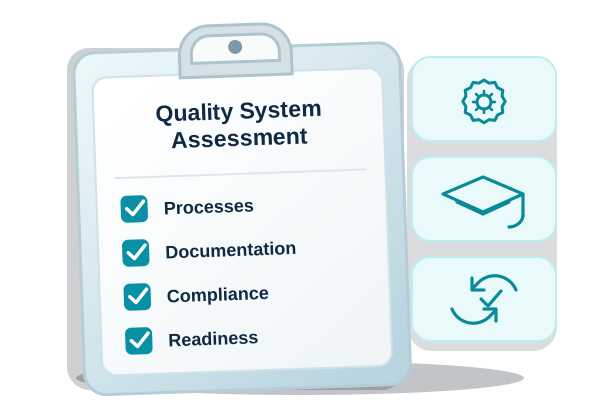
If you are still defining priorities, METIS QMS's QMS Health Assessment can help surface areas to explore.
Separate essential requirements from desirable features.
An organization struggling to maintain controlled documents and training records may place a high priority on document lifecycle management and employee qualification visibility.
A manufacturer experiencing recurring supplier-related nonconformances may prioritize quality event traceability, supplier evaluation, and corrective action management.
A laboratory may be more concerned with equipment status, documented procedures, personnel qualifications, and supporting records.
These differences matter.
A useful evaluation should consider five areas:
Process fit: Does the software support the workflows and controls your organization actually needs?
Usability: Can employees perform routine activities without excessive administrative effort?
Traceability: Can reviewers follow important decisions, records, assignments, changes, and approvals?
Implementation and support: Can the organization realistically adopt, maintain, and receive support for the platform?
Security and long-term suitability: Are the platform's controls, data management practices, and future capabilities appropriate for your requirements?
Evaluate each area using a consistent scale and document the evidence behind the score.
Don't assign high ratings simply because a feature appears on a marketing page.
Ask the vendor to demonstrate the capability, provide relevant documentation, or explain limitations.
It's also worth documenting when a capability requires additional configuration, implementation services, or future development.
The strongest purchasing decision is one that reflects verified requirements and operational priorities—not the most polished presentation.
The Real Test of Quality Management Software
An effective quality management system isn't measured by how many dashboards it contains.
It's measured by whether the organization can consistently carry out its quality processes, maintain reliable records, respond to problems, and identify opportunities to improve.
Software can make those responsibilities easier to coordinate. It can reduce repetitive administrative tasks, improve visibility, and help preserve relationships between quality activities.
But technology cannot replace sound processes, competent employees, or appropriate management oversight.
A poorly defined quality process doesn't become effective simply because it's digital.
Likewise, a capable software platform can deliver limited value when its implementation doesn't reflect how the organization actually operates.
That's why evaluating quality management software should begin with the work—not the technology.
Bring a real scenario to the demonstration. Challenge the system with an exception. Ask about security, implementation, and long-term support. Involve the people who will use it.
And most importantly, determine whether the software helps your organization manage quality more effectively than it does today.
The right QMS should make quality easier to manage, not become another process that needs to be managed.
See How METIS QMS Supports Your Quality Processes
METIS QMS is designed to bring quality records, responsibilities, and related workflows together in one platform.
Whether your organization is moving away from spreadsheets, improving an established system, or evaluating electronic quality management software for the first time, the right starting point is understanding your current processes and priorities.